Grades & Attendance -
Two Versions - Original and II
The Grades and Attendance Workbook calculates the attendance and the grades that you enter into the workbook for one child. Excel G&A was designed for homeschoolers who want to keep up with grades and attendance. The files will also calculate GPA and credits if applicable. I actually designed this workbook for myself and I used it until both of my children graduated.
G&A II
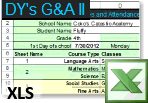
G&A II is new as of August 2012 and it is completely different from the original G&A files. Read about G&A II at DY's Grades and Attendance II
About G&A II
- Averages Scores Quarterly
- Totals Attendance Quarterly
- Enter up to 42 Classes spread over 10 Course Types
- Does not include Credits and GPA
The Original G&A
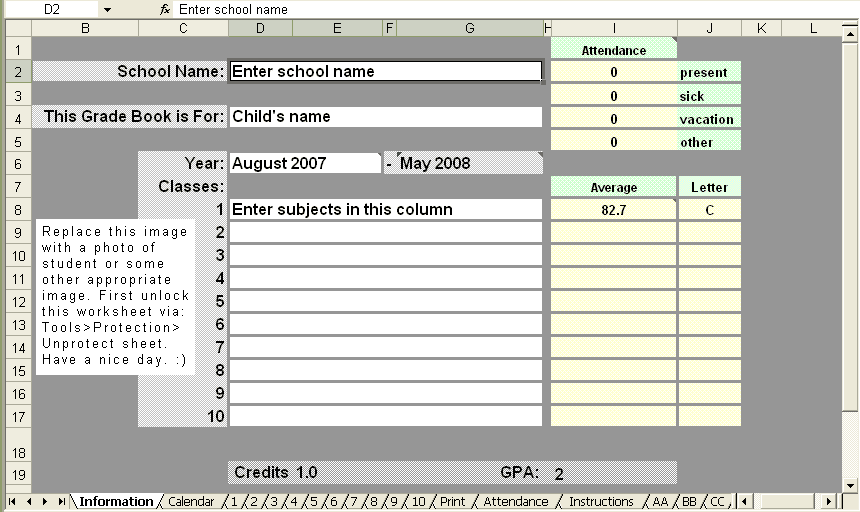
The G&A files are divided into two types - Whole Number and Points. The division is merely based on the type of number used to input grades - that is all. I preferred whole number because a lot of the work that my children completed was weighted - that is to say - the parts of one item such as a test was weighted, and so the points version did not benefit me.
Points and Whole Number - One cannot be the other, so choose which version to use. This choice is based on how you would like to enter the grades. I will explain each one below.
G&A Points
Enter grades as a fraction, decimal, and percentage such as 33/35, 0.9, and 90%.The points version is better only when most of the individual works by the student are not weighted within itself. That means that each assignment or each test does not have parts that count more than other parts.
An example of a weighted work - Questions 1-5 count as 5 points each and questions 6-10 count as 10 points each. <- If most of your children's work and tests are like this, use a whole number version.
G&A Points [help file] [download page]
G&A Points V2
Just like the one above, plus version 2 allows you to award AP or Honors quality points and also allows use to choose from two different grade scales.
G&A Whole Number
Enter grades with numbers such as 87, 91.3, and 100.G&A Whole Number [help file] [download page]
G&A 48 [download page]
48 is another whole number version. It is designed for those who need a room for a lot grades, school year-round, and do not need to weigh grades. It's also the only version with 6 grade columns for a visual, but not necessarily actual, 6-day school week. It is also the only version that includes my grade calculators.
See All G&A Files
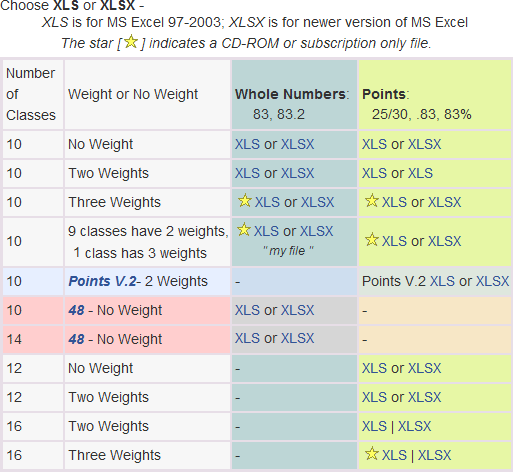
The See All Files page helps you choose which G&A file to use. It also links all of the files. It shows the  exclusive files too, but they are not linked.
(The chart below is an images and links to the See All Files page)
Software Requirements
Microsoft Excel
I made the G&A files with Microsoft Excel 2002 and the files are fully compatible with Microsoft Excel.
Numbers
Not compatible
 Numbers 09 seems to break the G&A files. Two issues - calendar dates disappear and important formatting is stripped. If after converting the XLS file to Numbers, the file is all white and the calendar dates do not show, don't use the file, it's broken.
OpenOffice - Only Whole Number & 48
Partly compatible
OpenOffice, a free office software that can be downloaded from [openoffice.org], will work with the Grades & Attendance files with this exception (as of 2009): In the Points Version, OpenOffice does not calculate grades when they are entered as fractions. I recommend that if you use OpenOffice, use Grades and Attendance: Whole Number or 48. - Open Office has changed hands and I've not used it since 2009 or 2010. Another free office suite is LibreOffice [http://www.libreoffice.org/] but I've not had time to try LibreOffice with my files, however; based on what I have read about LibreOffice, the advice for my G&A files are the same - Whole Numbers and 48.
OpenOffice and the Calendar
I have not tested the G&A files with OpenOffice for several years, BUT the last time I did, I noted that any and all dates must be entered in this format-
MM/DD/YYYY (such as 01/01/2012).
Donna Young
November 10, 2009
Updated November 2012
Changing The Calendar Year
I do not upload new files each year just to change the calendar year, there is no need for me to do that, remember, the files are spreadsheets, with formulas. You can change the calendar year. To change the calendar to reflect the current year, change the school year dates to your school year dates on the information tab.
See Step # 7 on Help Page
Copyright:
The Grades and Attendance Workbook is "as is", free for personal
use, and copyrighted. The Grades and Attendance Workbook may not be
distributed in any way without permission from Donna Young. You have
permission to use the grade book for your students and you may make a copy
of the grade book for each student. You may make back-up copies of your
student's grade books. This grade book is only available from this web site
and from the author's cd-rom. Should you see it available from any other
source, please report the URL to the author via feedback
form.
Hello Visitor!
I am currently working on this website to add to its ginormousness. Thank you for visiting, and please subscribe yearly to access my many printable files! Donna Young
May 13, 2021


 A Half-Sized Menu
 New set of Telling Time worksheets
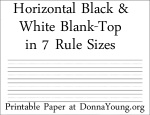 Previously linked as one file, represented by nothing other that the raw file name, this set of 7 rule sizes, in blank top handwriting paper is linked, described, and pictured.
 Member's Login
 RSS Feed