FAQs - Frequently Asked Questions
Commonly asked Questions
- The Grades and Attendance files have last year's date, will you upload updated files?
The calendar dates should be altered by you. See this Video: How to Change the Calendar Date
 - I can't see the tabs.
How do I access the other pages?
I do not see the tabs, how can I get them? - How do I add grades?
Points Version: Subject Tabs - Adding Grades
Whole Number Version: Subject Tabs - Adding Grades
- Should I enter the grades anywhere in particular?
Timing grades with the year.
Should I put grades in specific cells?
- Where do I enter attendance?
Enter Attendance - Calendar Tab
- I want to add a note with a grade, can I do that?
How do I leave a comment in a cell?
- How do I unprotect a sheet?
How to Unprotect and Protect a Sheet
- I would like to weigh grades with some subjects but not with others, can I do that?
Yes, see this page: Grade Weight
- Can I use Grades and Attendance for more than one child?
Grades and Attendance is designed for one student. To use grades and attendance for more than one child, use "Save As" from the file menu of the program and save a copy for each child. I recommend naming the file after your child and grade: for example: Anne_5th.
- Can I alter the appearance the calendar?
No the calendar is password protected.
- Can I rename the tabs?
Yes, right-click the tabs and rename them. - Can I change the color of the tabs?
Yes, right-click the tabs to change their color.
Help Pages
Set Up: Quick Start Guide - Information Tab |
Subject Tabs - Adjusting the Grade Weight |
Subject Tabs - Credits |
Set up Your Grade Scale |
Enter Attendance - Calendar Tab |
How to Change the Date on the G&A Calendar |
FAQs: FAQs - Frequently Asked Questions |
I can't see the Tabs: Minimized vs Maximized |
Print Preview and Printing |
Timing and Placing the Scores |
How to Unprotect and Protect a Sheet |
Not Using the Grade Weight |
Year-Round Schooling Changes - Change number of months in school year. |
Year-Round Schooling Changes - Changing the Semester in Print
Hello Visitor!
I am currently working on this website to add to its ginormousness. Thank you for visiting, and please subscribe yearly to access my many printable files! Donna Young
May 13, 2021

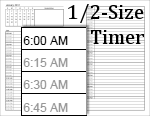 This is a timer for the desk-sized personal planner.
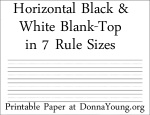 Previously linked as one file, represented by nothing other that the raw file name, this set of 7 rule sizes, in blank top handwriting paper is linked, described, and pictured.
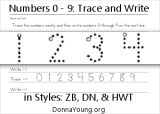 Handwriting practice just for numbers 0 through 9.
 Member's Login
 RSS Feed