Donna Young's Homeschool V-Planner
This page tells what a V Planner is, which files are available and how to have access to the V planner. If you prefer to see screenshots before reading this page, go to the V Planner Screenshot Page.
Latest Version: April 13, 2015. V Planner now includes a Google Calendar Add On which allows you to import lesson plans to google calendar. Download from the Member's area. 
What is a V Planner?
A List
- V Planner is a Microsoft Excel spreadsheet file that is made by Donna Young
- V Planner supports up to 4 children
- V Planner is a Subject Planner that can place your plans into a Weekly Planner
- Each student has 10 Subject sheets, 4 of which may be split into semesters and a place to record certain records for 6 outside classes
- V Planner will calculate grades and keeps grade records
- V Planner supports 3 editable grades scales each of which includes 3 editable levels of quality points
- V Planner's Optional records -
- time spent in class
- credits & GPA
- class location
- grade/time/location records for up to 6 classes not taken at home
- running records of activities and awards may be kept
- V Planner V4 XLSX includes files that will allow you to quickly compile lesson plan data that may be imported into Google Calendar. If you use Google Calendar on your devices, then you can see your students' imported lesson plans from the device.
 The V Planner is a spreadsheet file and, to use it, you must have on your computer Microsoft Excel. MS Excel is the only software program that is fully compatible with V Planner files. Additionally, your copy of Microsoft Excel must be a full version like that which comes with Microsoft Office suites, what I am saying is that a free version of Excel or a trial version will not handle V Planner files.
 To recap- V Planner requires the full paid verion of Microsoft Excel on your desktop or laptop. V Planner might not work with Excel Live or Excel on an APP (apps that require internet access). According to those who have tested it, V Planner will not work with Numbers.
How do I buy a V Planner?
V Planner files are not for sale, they are a part of the large file collection that you can access when you Purchase a Premium Subscription to YoungMinds.
How to get the V Planner after Purchase?
If you subscribed to YoungMinds go to the members area and login. Use either the YoungMinds or V Planner Access to download the file.
How do I use a V Planner?
First you need to download the right file type, there are two - XLS and XLSX. The download page shows you how to identify which file type to get. If after opening the file in MS Excel and the program header reads "Compatibly" mode then you've downloaded the wrong one, so go back and get XLSX. Remember, you must open the V Planner in Microsoft Excel - I'm not trying to promote MS Excel; it is just what I have and it's what the V Planner was built with. I've tried two of the free office suites, one hung while trying to open the file, and the other one crashed after opening the file.
Back to using the file - Follow the instructions at the help pages. The help pages begin here - https://donnayoung.org/homeschool-vplanner/.
V Planner 4 or V4 as it will sometimes be called
March 2, 2014 3:30 PM EST: V4 is ready for use. If you find an error or have feedback regarding V4, please use the contact form or my email. File updated Latest Version - V Planner V4.3
V Planner V4 helps you manage your lesson plans. It also calculates grades and keeps grade records. Optional records - time spent in class, credits & GPA, class location, grade/time/location records for up to 6 classes not taken at home, and running records of activities and awards may be kept. The planner supports 3 editable grades scales each of which includes 3 editable levels of quality points. If you have your own method of keeping grade records, see Lesson Planner V4.
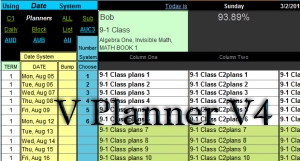
 V Planner V4 - Excel 2007, 2010: XLSX File
 V Planner V4 - Excel 2002, 2003: XLS File or XLS V4 with Table worksheet
 Why are there two XLS files?
I had trouble keeping the V Planner compatible with XLS. The XLS file with the Table worksheet might be a hassle, but you can try it; the Table worksheet is a nice addition to the planner.
The files below have sample data and if you are having trouble or if you want to understand how the V Planner works, please download one of the files below. View it, use the controls, but when you want to USE a V Planner, use the newest version and NOT this one. Thank You. See also help files- https://donnayoung.org/homeschool-vplanner/
at VP Blog - Set-Up V Planner V4
Changes in V4
Links go to help files.
XLSX - Import lesson plans to Google Calendar
--- S-Sheets ---
-The "AU" control - sets the lesson plan fetching method for the AU planners at the S-Sheets
--- Lesson Planners ---
-More Planners -
--AUD - a daily planner for "AU"
--AUB - a block planner for "AU"
--AUC3 - a block planner for "AU" that fetches ONLY the 3rd column. An example of using this is to use Column 3 in the s-sheets for teacher's plans.
-The AU planner is even more automatic
--Updated the Daily Planner "add-on" to be more like a daily planner
--- Miscellaneous ---
-RC for each child (RC1, RC2, RC3, RC
-4 addition Data worksheets - Data1, Data2, Data3, Data4 - and with help built in.
-More space for books and they are entered differently
-Transcripts are automatic.
-Control over the appearance of the grade scales.
-Increased the number of "Other Courses" to six.
-Formal and short class names
My To-Do List --
Finish help files
Make help videos and not break them. I seem to do that a lot, so I will upload my videos to youtube.
If you want to receive the V Planner Newsletter - a newsletter that is only sent as needed - please check the option on the members' page at https://donnayoung.org/dymem/member
High School V Planner V4 March 20, 2014
A 4-Year Planner for 1 Student
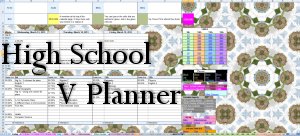
v-planner-highschool xlsx
Excel 2007 and newer - XLSX - With Sample Data
v-planner-highschool xls
Excel 2002 and 2003 - XLS With Sample Data
at VP Blog - Setup High School V Planner
Most of the High School V Planner works just like V Planner, but there are some differences. I've been working help files just for the High School V Planner that you should look at, but mostly you can use the help files for the regular V Planner.
The High School V Planner help files start here - https://donnayoung.org/homeschool-vplanner/category/high-school
The First step in set-up involves checking the course categories at the Lists worksheet.
Lesson Planner V4
March 30, 2014: V4 is ready for use
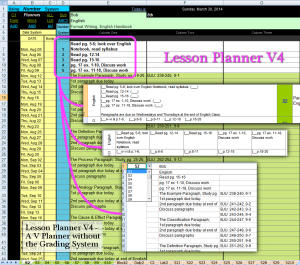 Lesson Planner V4 is a V Planner but without the grading system. The Lesson Planner helps you manage your lesson plans. Attendance may be kept, a Course of Study may be printed, and running records of activities and awards may be kept.
Sample Data Versions - The versions that have sample data are useful when you need to play with the planner in order to learn how it works. I do not recommend using these for your planner because many times small changes are made to the finished Planners and these changes are usually not added to the sample data versions. For that reason, the versions with sample data are not supported.
Compare V Planner with Lesson Planner
| V Planner | Lesson Planner | |
|---|---|---|
| A 10th S-Sheet | Yes | Yes |
| S-sheets 7-10 are "Split | Yes | No |
| 3 Columns for Plans | Yes | Yes |
| Keeps Grade Records, Credits, GPA | Yes | No |
| EACH subject may fetch lesson plans based on either system | Yes | Yes |
| Extracurricular activities Records and Awards Records | Yes | Yes1 |
| Records for outside classes | Yes | No |
| Class locations | Yes | No |
Basically the Lesson Planner deals with lesson plans; it does not deal with anything related to keeping grades and associated records. It is the easiest V Planner to set up and to use and it is ideal if you have a different method for grade records or if you do not keep grade records.
Video - Lesson Planner V4, below and at Help Files
1While Lesson Planner contains the Records worksheet, the data is not extracted into a printable worksheet.
Video - Lesson Planner V4
Legalese that content creators should include with their work.
Terms of Agreement
V Planner, as it is now [2011], has taken more than 220 hours to create, so I really hope that you find it useful but I also hope that you do not take advantage of me by giving out the file. The planner is only available to current YoungMinds CD-ROM customers and current YoungMinds subscribers. If you have the V Planner - I know it's a nice file, but please do not give it out or send the file to others or upload it anywhere.
Disclaimer
The file is "as is." It is also a work in progress. I make no warranties whatsoever regarding the file, it's quality, it's accuracy [although I do try very hard in those two areas ], and I cannot guarantee that you can open and use the file. The V Planner is part of the large file collection that is on YoungMinds. The V Planner is an XLS or XLSX file and requires that you have Microsoft Excel on your computer in order to open and use the file. I do not provide the spreadsheet software.
Availability of V Planner - Subscription to YoungMinds
The V Planners are available via a subscription to YoungMinds. In addition to the V Planners, YoungMinds offers a few other features not available on donnayoung.org. If you decide to subscribe, you'll have a version of donnayoung.org with more content that includes the V Planners. The log-in to the membership area is linked at the top of almost every page at donnayoung.org at this link - Members
**What is a Class Sequence?
What I am referring to when I say "class sequence" is the number or days or days of the week that a class is held.
Examples:
1-day a week - Any one day
2-days a week - Any two days - Tuesdays and Thursdays might be common
3-days a week - Can be any three days
4- days a week - Any four days
Every other day - Every other day - M, W, F, Tu, Th would be the sequence for a 5-day school week.
Donna Young
March 2012
 Printable Files and Quiz
 RSS Feed