Homeschool Lesson Plan Forms
If you have browsed the Homeschool Planner section of donnayoung.org, you might have found that there are different types of papers that make up a homeschool planner. There are papers for the Lists that you need, forms for Administrative purposes, and finally the Lesson Planning Forms.
This is where to find the Printable home school lesson planning forms, see also Sets. The 3rd row in the menu contains links to different types of lesson planning forms.
The Planner Guides
1. Weekly Planner
2. Subject Planner
3. Journal Planner
There are four basic lesson planning form types-
- Daily and Weekly Planners
- Term or Subject Planners
- Journals, "Journaling"
- Unit Study
Within these four groups are a variety of planner layouts with various quantities of rows or/and blocks. I have more than 4 links in the 3rd row and below is a short description of each of the links.
The Lesson Plan Form Types and Styles
A List with Short Descriptions of the Pages with the Printable Files
Index of Lesson Planners
is a new area, as of November 2010, that I will work on every now and then. The purpose of Index is to offer you another way to browse my homeschool planner forms.
Weekly Lesson Planners 


Schedule a Week of Lessons for all Subjects
Although I have more weekly lesson planners than those linked on the Weekly Lesson Planner page, this page presents an assortment of basic and not quite basic weekly planners. The weekly forms are sorted into four categories.
- One-Page Weekly Lesson Planners - popular Edwardian and The Planner List
- 6-Day Weekly Lesson Planners
- Two-Page Weekly Lesson Planners - My favorite type of weekly planner
- One-Page Lesson Planners for Two Children

Term and Subject Lesson Planners

Term and Subject Lesson Planners - Related - Homeschool Subject Planner
At some point in our homeschooling years, I started planning each subject separately for the entire year. I made for myself special planners and named them "Subject Planners" and to those with a certain quantity of cells, I named those quarter planners and semester planners. I also made some special subject planners for multi-part classes and classes with lab. I suppose because I made these out of need, I found them to be the most useful sort of lesson planner. The term and subject forms are sorted into five categories.
- Quarter Planner - These have 45 cells per printed page, which could equal one quarter of a school year.
- Semester Planner - These have 90 cells for lesson plans per printed page.
- Six Week Planners - Although I do not recommend adding dates to a subject planner, this one has 6 rows of cells, which it most people would seem like a 6-week planner, but it's better if you think of it as a 30-cell planner, which could be used for thirty lesson plans.
- Science Planner - I share my apologia lesson plans online and I created a science planner that suited this sort of class - one with reading assignments, lab assignments, and a place under each row for comments or a supply list.
- Grammar and Composition Planner - I call this a grammar and composition planner because that is what I made it for -- for me, but you can use it for any class that has three or more parts.

By Columns - Mix and Match Lesson Planners

-a popular set because of the many choices that you have. By Columns is a mix and match set.

Daily - Plans for One Day 

Lesson planners that are designed for the purpose of entering lesson plans for one day. Using them that way is optional.

Row Planners

A row planner uses a different planning strategy. Rather than entering lesson plans in daily chunks, enter them in weekly or greater chunks.
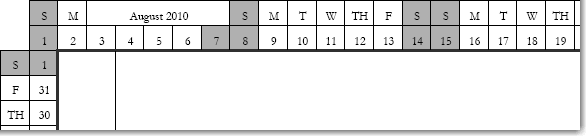
Homeschool Journal

At Journal you will find printable ruled paper. Some of the papers are plain, some have headers, some have borders, and some are decorated.

Excel Weekly

XLS file: To use Excel Weekly, enter the student's name, subjects, and start date for your school and this information is spread over 6 weekly planner pages and two objectives pages. Typing lesson plans before printing is optional.
For ultimate control of how your lesson plan forms look and if you have software that supports the file types, use the doc or xls files. Being the paper planning type, I used the pdf files unless I wanted to type my child's name on the planner. I do have a few, very few, pdf's that can be typed on. They are marked with this icon: .
 Tip: With the doc files, you can add a background image to dress up the file before printing.
 See Also The Related Pages Below
Coordinated Sets: Not to confuse you, but be sure to look at the Sets before deciding which planners to print. Sets has planner collections that match. Three favorites are: Colonial Planner for Household and Homeschool, Garamond Collection, a Homeschool Planner, and Homeschool Portfolio Lesson Planner.
How-to-plan articles: For information on making simple lesson plans go to How To Make Simple Lesson Plans for Homeschool. This is the "home page" for a series of how-to articles that are about planning different types of books.
 The Planner that is Pre-filled via fill in the blank forms?: Portfolio X is a set, so you will find it in Sets.
--------------Information--------------
Printables
This is the place where you can find all of the homeschool planner printables. All of my printables were made with some sort of software on my computer by me. It usually takes at least two different software products to make these printables, sometimes it takes four software products. All of my works are copyrighted although I don't make a big deal about that on the printable itself. I usually just put this web site's address on the printable in tiny gray letters so you will know where to get more printables.
Navigation
[2008] Everything is different (gee thanks, Donna) but I hope the navigation is improved.
I'm Lost
If you need help instead of forms, back up and go to Homeschool Help. If you need household forms instead of homeschool forms, go to Household. If you need calendars instead of planners, go to Calendars. If you are looking for subject related material, browse the subjects in the menu at the top of the page. Anytime you need to return to the very beginning, go to DonnaYoung.org. If all else fails contact me via the feedback form.
System Requirements
Most of the planners require the free Adobe Acrobat Reader to open and print. The rest of the planners are best opened with Microsoft Word or a compatible word processor. The Excel files require that Microsoft Excel or Open Office or some compatible spreadsheet software be on your computer.
Technical Issues
Please note that I do not provide technical support for your software, internet connection, or computer. If you find a problem with my web site please inform me via my feedback form.
Site Availability
Please remember that while my web site should be available 24/7, it is not guaranteed to be up 24/7. My web site lives on a server somewhere and that server can have technical problems. The internet might be down at one of the points between my website and your computer. Typically when my web site is down, it is temporary. Please try again later.
Copyright and Usage
You may use my work for your personal use. If you are a teacher, you may use my work for your students. Do not print or distribute my work to others that are not your students. Your friends and peers are not your students. Share the link to my website instead. Files that are editable, such as the word files, may be downloaded to your computer to be customized for your personal use.
All of my files, forms, and web pages are the intellectual property of Donna Young. Uploading any parts of this website to any other server is forbidden and that includes email, blogs, forums, anything that involves the internet or file sharing. It is also forbidden to pass along my work via a burned cd or memory card.
Hello Visitor!
I am currently working on this website to add to its ginormousness. Thank you for visiting, and please subscribe yearly to access my many printable files! Donna Young
May 13, 2021
 Math and Art
 Math and Art
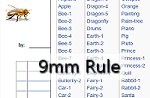 The printable filler paper on this page feature a rule height of approximately 9mm. The rule is blue with pink margin lines and the outside margin line is olive. All but one file feature a small image at the top of the page. Each paper has a header that reads: by: and date:
 Member's Login
 RSS Feed