Manuscript Handwriting Lessons
If you have a word processor on your computer, you can make your own handwriting lessons. One nice thing about making the lessons yourself, is that the lessons can be tailored to your children. One major problem with making handwriting lessons on a word processor is that one needs a lined handwriting font. Few handwriting fonts include lines and the one that I am linking on this page is "okay"- please view the image before using the font.
Click on this image to see it full sized
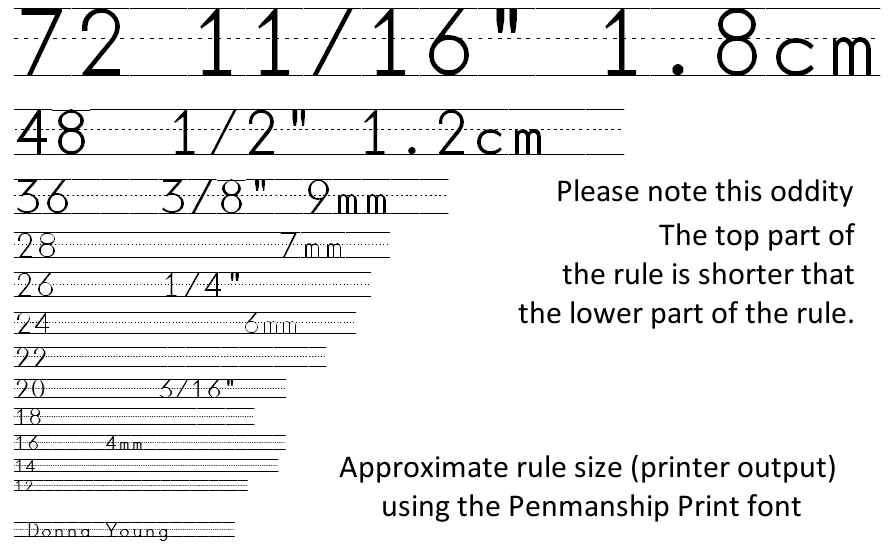
What you see in this image is all there is to the font. One cannot make the letters lighter without making the rule lighter, but this is typical of all lined fonts; they are what they are. While it would seem that an upside is using the font to create ruled lines -- well, the ruled lines in this font are non-standard - the upper part of the rule is shorter than the lower part of the rule.
If none of these things bother you then proceed and use the font, it is linked below, but if you would rather have better fonts you'll have to purchase them. I recommend the fonts at http://www.educationalfontware.com/
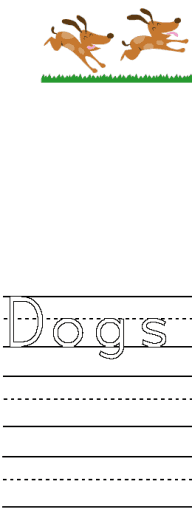 A Ruled Manuscript Font
 penmanship.zip
This is a true type font, download and unzip, then install in your fonts folder. If you do not know how to install fonts, open a search engine and type, "install fonts" to search for instructions.
A Sample Lesson
Before opening the file that is linked below, install the font. The file will not display correctly until the font is installed. Of course, it will not hurt to view it without the font installed. The image on the left shows a part of the sample file and what it is supposed to look like with the font installed.
 Dogs Run (doc format)

The Blank Ruled Lines
With the Penmanship Font, the blank ruled lines are made with the Grave symbol (`). On a qwerty keyboard, the graves symbol key is the key to the left of the key for number 1 - the upper left key.
The Hollow Font Format
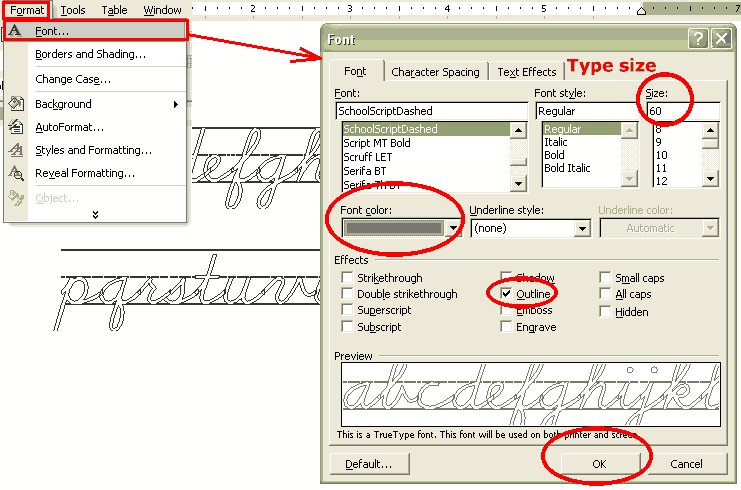
To make the font hollow in Microsoft Word: Select text, then from menu, choose Format > Font. Under Effects, check Outline. Click here for image.
Important Note: Not only is the font hollow, the lines are hollow too.
Updated: May 6, 2014
Donna Young

 I've added 80 more lessons to DN Style.
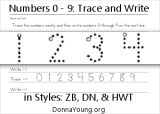 Handwriting practice just for numbers 0 through 9.
 Household- Half-sized - Calendars
 RSS Feed